Biweekly Paycheck Budget Spreadsheet
Know exactly where every paycheck goes, before it arrives.
A complete Google Sheets and Excel budget system built around how you are actually paid, every two weeks. Set it up once in about 10 minutes, then give each paycheck a clear plan in minutes, bills covered, spending sorted, savings moving, with nothing left to guesswork.
One payment of $27. Yours to keep, free updates included.
Right now you might be thinking,
“I have bought budget templates before and never kept them up.”
“I am not a spreadsheet person.”
“My pay is not the same every time, so a budget will not fit.”
Sound familiar? This system was built for exactly that. The setup is guided step by step, the formulas are already written, and the planner is built per paycheck, so a smaller paycheck and a bigger one each get a plan that fits.
What you get
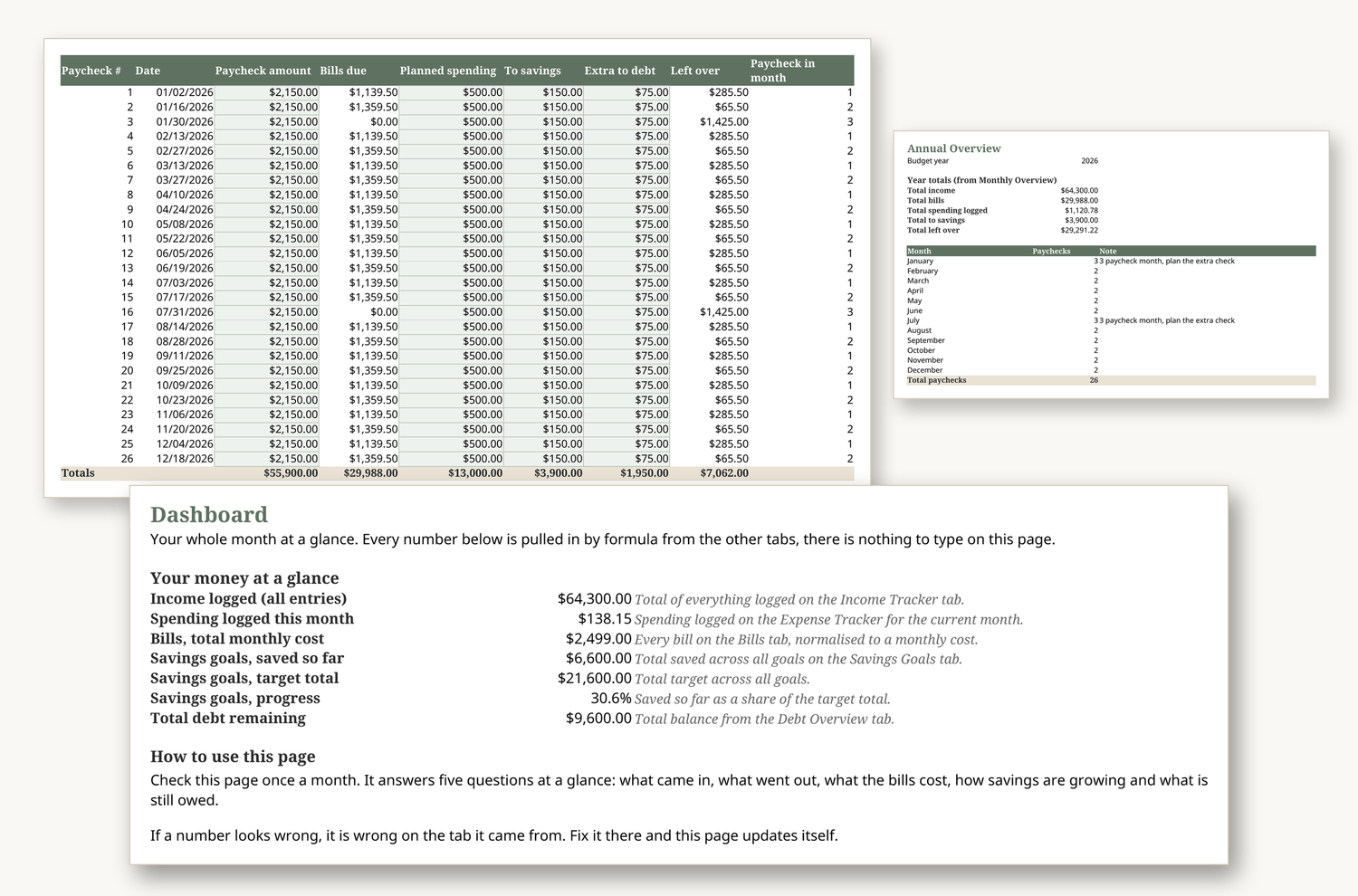
Your whole month on one screen. What came in, what is committed, what you have spent, what you have saved and what is safely left, without opening five tabs to find out.
The heart of the system. Each paycheck gets its own plan, which bills it covers, what moves to savings, what is free to spend. Payday stops being a scramble and becomes a five minute routine.
See all 26 paychecks in the year, including the two months with a third paycheck, and treat those extra checks as a plan, not a surprise. Tight months show up months before they arrive.
Every bill matched to the paycheck that pays it. No more bill landing two days before payday with nothing set aside.
Log spending in seconds and see it grouped your way, so the leak in the budget shows itself instead of hiding in a bank feed.
Named goals with progress that updates itself, plus sinking funds for the costs that only show up a few times a year, so December and the car repair stop being emergencies.
Every balance in one honest list, and every recurring charge priced once, so you can decide what stays and what goes.
A plain steps setup guide, plus a completed sample copy of the whole system, so you can see exactly how a finished budget looks before you type a single number of your own.
How it works
1. Make your copy. Open the file in Google Sheets or Excel and save your own copy, about two minutes.
2. Follow Start Here. Enter your pay dates, bills and categories, guided step by step, about 10 minutes.
3. Plan each paycheck. On payday, open the Paycheck Planner, assign the check, done. A five minute weekly check in keeps it true.
Why now
Every paycheck that arrives without a plan gets spent twice, once in your head and once in real life. The next payday is the natural start line, and the two three paycheck months in your year only work for you if the plan is already in place when they land. Setting this up before the next check means that check is the first one that does what you intended.
Free sample
Not ready yet? Download the free Paycheck Planner sample tab and try the system with your next paycheck.
Free sample placeholder only — no form is connected in this draft.
Frequently asked questions
Is this Google Sheets or Excel?
Both. You receive one file that works in Google Sheets and one for Microsoft Excel, with the same tabs and formulas in each.
I am not good with spreadsheets. Will I manage?
Yes, if you can type numbers into boxes. Every formula is written for you, the Start Here tab walks you through setup in plain steps, and the filled in sample shows you a finished example to copy.
Does it work if my income changes from paycheck to paycheck?
Yes. The planner is built per paycheck rather than per month, so each check, large or small, gets a plan based on what actually arrived.
What about the months with three paychecks?
They are already mapped in the Annual Overview, with space to assign the third check to savings, debt or a goal instead of watching it disappear.
How do I get the spreadsheet after I buy?
Instantly. Checkout sends a delivery email with your download links, and the files sit in your account as well. No waiting, no shipping.
What if it does not work for me?
Write to us within 7 days of purchase and tell us what went wrong. If we cannot make it work for you, we will refund you. Support is at the Neatly Sheets support address shown in the footer.
Do I pay again for updates?
No. Updates to this spreadsheet are included, and the delivery email list is how you will hear when a new version is ready.
Give your next paycheck a plan.
One system, set up once, that tells every biweekly paycheck where to go, bills, spending, savings and debt, on one calm dashboard. One payment of $27, yours to keep, updates included.
Secure checkout. Instant delivery by email. Google Sheets and Excel included.